

The Shepherd’s Flute
A beautifully expressive Bulgarian kaval, rich in warmth and character.
The Bulgarian kaval is deeply intertwined with the shepherd’s way of life in Bulgaria.
Historically it is said that mountain shepherds played the kaval while tending to their flocks in the picturesque Bulgarian countryside.
The instrument is crafted from a single piece of wood, typically apricot, plum, or boxwood. It features a simple design consisting of an open-ended tube with eight finger holes and a thumb hole.
The kaval has been integral to Bulgarian folk music for centuries, adding its unique timbre to traditional melodies and dances, making it a cherished symbol of the country’s musical identity.
Audio Demos
Highlights
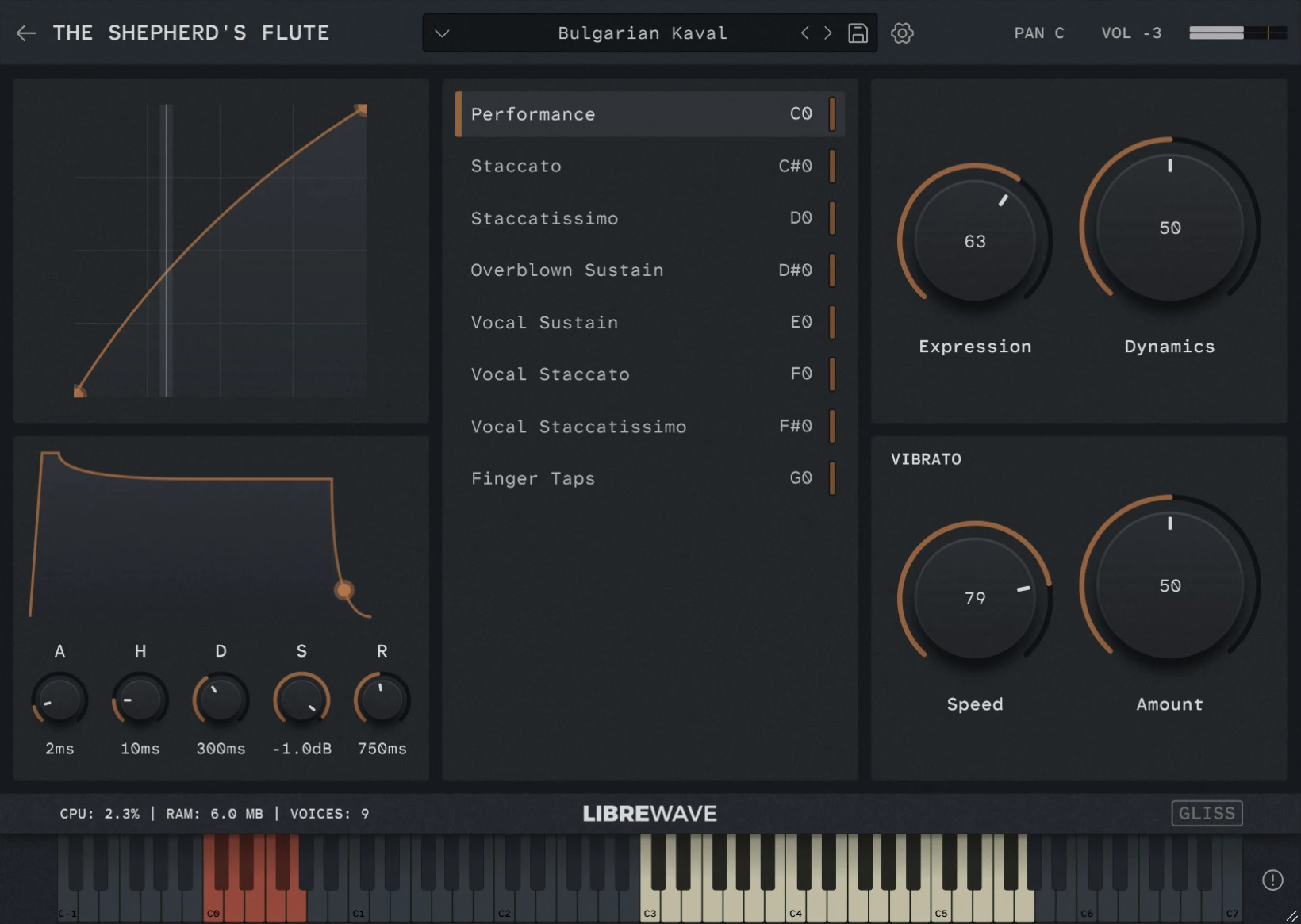
8 Idiomatic Articulations
Including sustains, shorts, vocal effects, and traditional ornaments.
Phase-aligned Dynamics
The dynamic layers of the sustained samples have been phase aligned for buttery smooth crossfading.
Highly Playable
The instrument adapts to your playing in real-time. Allowing you to effortlessly perform legato, trills, and portamento.
Purge Until Played
The player includes an optional lazy load feature to minimise memory usage.
Dynamic Vibrato
Precise control over vibrato rate and depth is provided by the on-screen controls.
Dry Recordings
Clean, unprocessed samples that are easy to place in any mix.
Videos
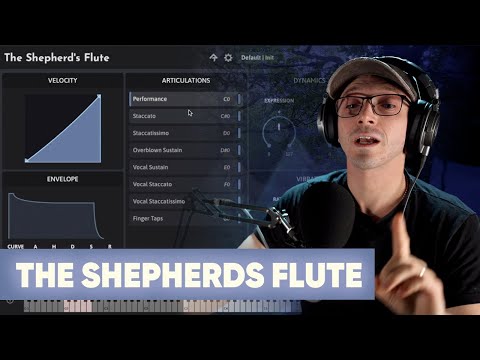
Check out these videos of The Shepherd’s Flute. They’re using an older version of the library so the interface looks a little different but the sound and behaviour are the same.

What’s Included
The Shepherd’s flute was recorded in a small studio in Sofia, Bulgaria, using a single microphone. This approach gives the recordings a cosy and personal ambiance, almost as if you were right there in the room with the musician.
In keeping with Libre Wave’s style, these samples boast minimal natural reverb, affording you the freedom to apply your own effects and shape the virtual sonic environment to your liking.
The sustain samples have been looped and phase aligned to produce smooth, artifact free dynamic crossfades.
Performance
Interprets your playing to generate realistic legato transitions, trills, attacks, ornaments, and slides in real time.
Staccato
A short, detached note played with clear separation from the following note.
Staccatissimo
An extremely short, crisp note with even greater separation than staccato.
Overblown Sustain
Long notes with an overblown attack.
Vocal Sustain
A unique effect consisting of long notes with a vocal tone performed over the top.
Vocal Staccato
Short notes with a vocal tone over the top.
Vocal Staccatissimo
Very short notes with a vocal tone over the top.
Finger Taps
Sound made by the musician tapping their fingers on the tone holes.
Tech Specs
| Format | Rhapsody |
| Samples | 657 @ 24-bit / 48kHz |
| Size | 650MB |
| Max Round Robin | 3 |
| Release Tails | Yes |
| Articulations | 8 |
Rhapsody Player

Built for the free Rhapsody Player. Runs on Windows, macOS, and Linux.
Frequently Asked Questions
What is a sample library?
A sample library is a virtual musical instrument.
They are created by recording 1000s of individual notes on a real instrument.
These recordings are then chopped up into individual files, called samples, and mapped in software so that they can be triggered using MIDI.
Is it Apple Silicon Native?
Yes, the instrument runs within the free Rhapsody Player, which runs natively on both Intel and Apple Silicon systems.
Can I use it in commercial work?
Yes absolutely! For full details please see the software license.
Can I customise MIDI controls?
Yes you can right click on most controls to assign a MIDI CC. These values are saved with your DAW session or when you save a preset.
Can the Performance mode play chords?
Yes, the Performance articulation has built in chord detection. If two or more notes are played at the same time it will automatically go into polyphonic mode.
Does it work in Pro Tools?
Yes. The instruments runs in the free Rhapsody Player which is available as an AAX plugin for use in Pro Tools.
Does it work in FL Studio?
Yes, but FL Studio occasionally brings up unique issues.
If you run into any problems in FL Studio there are two things you can try straight away.
- Firstly, make sure you are using an audio buffer size that is a power of two: 64, 128, 256, 512, 1024, etc.
- Secondly, enable FL Studio’s align tick lengths option. You can find this in Options > Audio Settings > CPU > Align Tick Lengths.
If you’re still having problems with Rhapsody Player in FL Studio please contact us and we’ll do what we can to get you up and running.
How do I install it?
The instrument runs within the free Rhapsody Player.
Simply download and install Rhapsody, and download all the .hr files for the instrument – there might just be one file or there could be multiple, it varies by instrument. The files are numbered so you know how many there are.
Next launch the Rhapsody standalone app, then click the + button and follow the on-screen instructions to install the instrument.
And Breathe
From delicate whispers to deep, breathy lines. Give your melodies a voice.