Sordina
An audio effect that accurately recreates the tonal character of brass and string mutes.

Sordina is an audio effect plugin that recreates the sound of instrument mutes and related playing techniques.
Using models derived from real world recordings, it lets you take a clean recording or virtual instrument and shape it into something more characterful.
This broadens the capabilities of your existing virtual instrument collection and lets you infuse additional richness into live recordings.
Ideal for composers, producers, and sound designers who want more tonal options for their existing libraries.
Videos
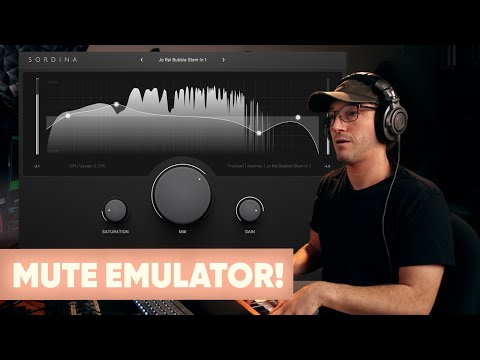
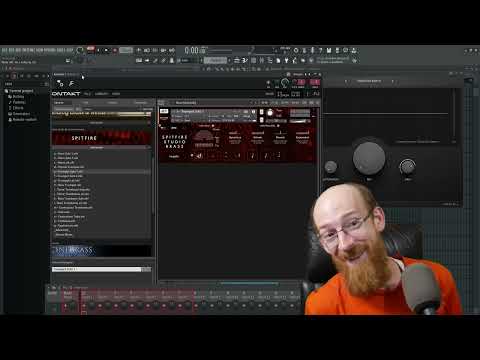
Demos – Virtual Instruments
Each of the following tracks consist of three sections: the real muted patch, followed by the non-muted patch with Sordina applied, and finally, the non-muted patch on its own.
Demos – Live Recordings
Click play and use the A/B buttons to switch between the real muted recordings, and the unmuted recordings processed by Sordina.
Trumpet
Trombone
Violin
Cello
Highlights
Wide Range of Mutes
Over 260 models covering brass, strings and saxophone, with multiple variations.
String Characters
Simulates techniques like sul tasto, sul ponticello and flautando, giving the flavour of these playing styles.
Real-time Control
Wah-wah control for supported mutes, with full automation and MIDI mapping.
Built-in Tone Shaping
EQ, saturation, gain and mix controls let you refine or push the sound as needed.
Detailed Emulation
Includes cup, Harmon, plunger, bucket, straight and more, with subtle differences between models.
Works on Any Audio
Use it on orchestral libraries, live recordings, or non-acoustic sources like synths for creative sound design.
Of Brass
Sordina contains over 260 different mute models. Of these 178 are for brass instruments, 86 are for strings, and 3 are for saxophone.
Brass is where Sordina is most detailed. You’ll find a wide range of familiar mute types, each with multiple variations.
Additionally, there are unique and more exotic choices such as pixie, derby, plunger, and felt mutes.
For certain mutes, such as Harmon or plunger, you also get a real-time wah-wah control, which can be automated or mapped to a MIDI controller.


Of Strings
Sordina also includes models inspired by string techniques and mutes. Additionally, we provide specialized models tailored for specific effects like col legno, sul ponticello, and flautando.
These don’t try to add new performance noises. Instead, they reshape the tone to give the character of the technique.
On ensemble material, the effect tends to feel more natural, as the sound is already blended.
What’s Included
French Horn
- Cup
- Straight (4)
- Practice (2)
- Stop
Trumpet & Cornet
- Bucket (6)
- Cup (11)
- Plunger (4)
- Harmon (18)
- Straight (29)
- Practice (9)
- Misc (6)
Piccolo Trumpet
- Cup
- Harmon (2)
- Straight (3)
- Practice (2)
- Misc (1)
Flugelhorn
- Cup
- Bucket
- Straight (2)
- Practice (3)
Show All
Trombone
- Bucket (3)
- Cup (7)
- Plunger (3)
- Harmon (6)
- Straight (7)
- Practice (3)
- Misc (5)
Bass Trombone
- Bucket (2)
- Cup (4)
- Plunger (2)
- Harmon (4)
- Straight (5)
- Practice (2)
- Misc (4)
Euphonium
- Straight (2)
- Practice (2)
Saxophone
- Practice (3)
Tuba
- Straight (2)
- Practice (3)
Violin
- Orchestral (4)
- Tourte (5)
- Practice (4)
- Col Legno (2)
- Flautando (2)
- Sul Ponticello (5)
- Sul Tasto (4)
- Misc
Viola
- Orchestral (4)
- Tourte (4)
- Practice (3)
- Col Legno (2)
- Flautando (2)
- Sul Ponticello (2)
- Sul Tasto (2)
Cello
- Tourte (2)
- Practice (4)
- Col Legno (2)
- Flautando (3)
- Sul Ponticello (3)
- Sul Tasto (3)
- Misc
Contrabass
- Orchestral (5)
- Tourte (3)
- Practice (3)
- Col Legno (2)
- Flautando (2)
- Sul Ponticello (3)
- Sul Tasto (3)
- Misc (2)
*Libre Wave and Sordina are in no way affiliated or endorsed by the manufacturers of the mutes analysed for the creation of this plugin. Their names and trademarks are referenced only as descriptors for the user’s information.

Tech Specs
| Format | VST3 / AU / AAX |
| Mute Models | 269 |
| Size (Installed) | < 100MB |
| Apple Silicon Native | Yes |
Documentation

Get the most out of Sordina with the detailed user guide.
What Our Users Say
Frequently Asked Questions
Is it Apple Silicon Native?
Yes, the plugins run natively on both Intel and Apple Silicon systems.
Do I have to match the mute to the instrument?
No, you can use any mute on any sound, so a trumpet mute can be applied to strings, synths, or anything else for creative results.
Can Sordina be Automated?
Yes. Mute selection can be controlled using either host automation or MIDI CC messages.
Sordina is an audio effect plugin rather than a virtual instrument. While MIDI control is supported by the plugin, some DAWs do not allow MIDI data to be routed to audio effect. In these cases, MIDI Learn and MIDI-based mute selection may not be available.
See the user guide for more information.
How accurate are the mute models?
Brass mutes can get very close to real recordings, while string models focus on capturing the overall tonal character of each technique.
Check out the interactive demos higher up this page to hear it in action.
Can I control parameters in real time?
Yes, most of Sordina’s controls support automation and MIDI mapping, including the wah control.
However, support for sending MIDI to audio effects depends on your DAW, so it’s worth checking your DAW’s documentation for details.
Does it work in Pro Tools?
Yes. Sordina includes an AAX plugin for use in Pro Tools.
What can I use Sordina on?
You can use it on any audio source, including virtual instruments, sample libraries, live recordings, or even synths.
How do I install Sordina?
Download the installer for your operating system from your account, run it, and choose the plugin formats you want to install.
Once installation is complete, you can remove the installer file.
Sordina will appear as an Audio Effect plugin in your DAW.
Why are there multiple versions of the same mute?
The models are based on analysis of real mutes. Their sound varies with the manufacturer, instrument, player, and room.
Multiple variations are included so you can choose the one that best fits the audio you’re using.
Is it better for solo or ensembles?
It works on both, but some models, especially string techniques, tend to feel more natural on ensemble sounds.