

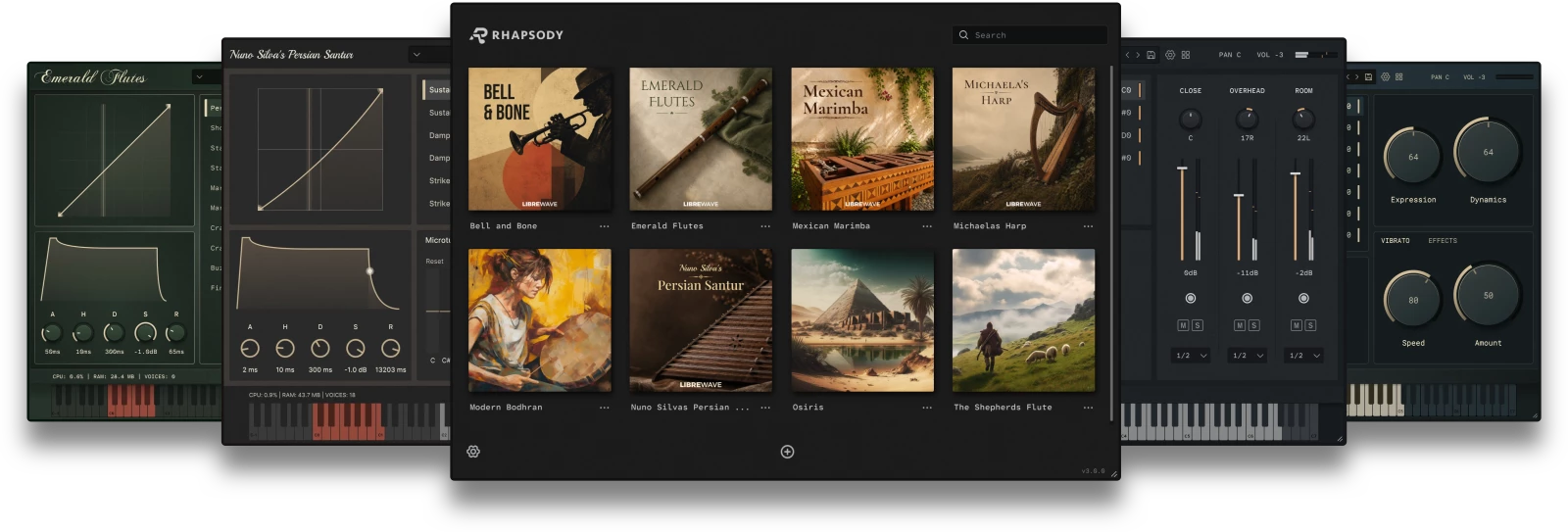
A modern player for sampled instruments
Download Version v3.3.0
Linux

- Debian 11+
- Disk 100MB
- CPU: Intel/AMD
- Format: VST3
macOS

- macOS 10.14+
- Disk 100MB
- CPU: Intel/Apple Silicon
- Format: VST3, AU, AAX
Windows

- Windows 7+
- Disk 100MB
- CPU: Intel/AMD
- Format: VST3, AAX
Getting Started
- Windows/macOS: Once the download completes just double click the installer to install Rhapsody.
- Linux: Make the installer executable (
chmod +x)and run it from the terminal.

Frequently Asked Questions
Is Rhapsody Open Source?
Yes. Rhapsody is released under the GNU GPL. Click here to visit the git repository.
The Rhapsody name and logo are registered trademarks. If you fork Rhapsody for your own derivative work you will need to give it a new name and logo.
Where Can I Get Rhapsody Instruments?
Libre Wave is the main source of Rhapsody instruments. However the player is open to any developer and we are now starting to see third-party Rhapsody instruments becoming available.
Here are some free ones: Layer Engine, Open Strings, Reso Piano.
You can also purchase Libre Wave instruments from some third-party resellers.
How Do I Install An Instrument?
Rhapsody includes an integrated installer. Please follow the instructions in this video.
Do Rhapsody Instruments Require a License?
An active license key is required to download your purchased instruments from Libre Wave.
If you deactivate your license or transfer it to someone else you will no longer have access to those files.
The license key is not needed inside Rhapsody itself and there is no form of DRM.
Does Rhapsody Work In Pro Tools?
Yes. As of August 2024 Rhapsody is available as an AAX plugin for use in Pro Tools.
Does Rhapsody Work In FL Studio
Yes, but FL Studio is a fickle beast that occasionally brings up unique issues.
If you run into any problems in FL Studio there are two things you can try straight away.
Firstly, make sure you are using an audio buffer size that is a power of two: 64, 128, 256, 512, 1024, etc.
Secondly, enable FL Studio’s align tick lengths option. You can find this in Options > Audio Settings > CPU > Align Tick Lengths.
If you’re still having problems with Rhapsody in FL Studio please open a support ticket and we’ll do what we can to get you up and running.