

Lyrical Bansuri
A traditional Indian bamboo flute with an authentic soul.
The bansuri is a traditional Indian bamboo flute. It holds deep cultural significance in India and the surrounding regions where it is an integral part of classical and folk music.
Crafted from a single length of bamboo, the bansuri’s design allows for a range of hauntingly lyrical tones, making it a versatile instrument for expressing a wide array of emotions.
Its soothing and meditative sound has also found its way into various genres of world music, exposing it to audiences far beyond its original roots.
The bansuri’s ability to evoke a sense of tranquillity and spirituality has earned it a cherished place among musicians and listeners alike, enriching the tapestry of global musical traditions.
Audio Demos
Highlights
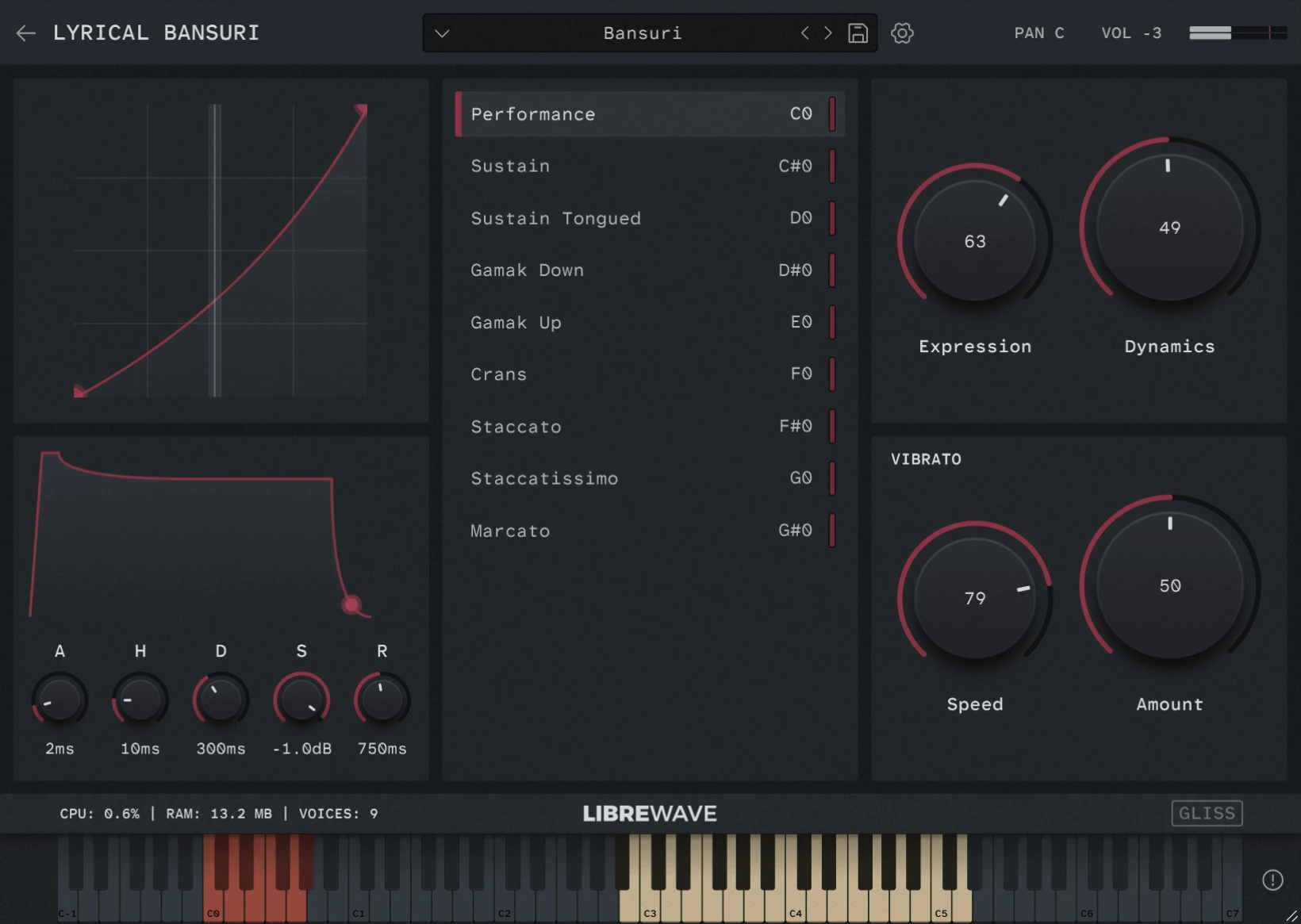
9 Idiomatic Articulations
Including three sustain variations, shorts, and traditional ornaments.
Phase-aligned Dynamics
The dynamic layers of the sustained samples have been phase aligned for buttery smooth crossfading.
Highly Playable
The instrument adapts to your playing in real-time. Allowing you to effortlessly perform legato, trills, and portamento.
Purge Until Played
The player includes an optional lazy load feature to minimise memory usage.
Ornaments
Includes traditional techniques like, gamak and crans.
Dry Recordings
Clean, unprocessed samples that are easy to place in any mix.
Videos
Check out these videos of Lyrical Bansuri. They’re using an older version of the library so the interface looks a little different but the sound and behaviour are the same.


What’s Included
Lyrical Bansuri was recorded with a single microphone in a studio. This gives a warm and intimate sound as if you are in the room with the musician.
As with most Libre Wave libraries the samples have very little natural reverb, allowing you to apply your own effects and control the sonic environment into which the instrument is virtually placed.
The sustain samples have been looped and phase aligned to produce buttery smooth, artifact free dynamic crossfades.
Performance
Interprets your playing to generate realistic legato transitions, trills, attacks, ornaments, and slides in real time.
Sustain
Long notes with a soft attack. Phase aligned dynamics with seamless loops and release triggers.
Sustain Tongued
Long notes with a distinct attack. Phase aligned dynamics with seamless loops and release triggers.
Gamak
Traditional ornament where a note is given expressive movement before sustaining. Provided with both up and down varieties.
Crans
A rapid ornament that decorates a sustained note with grace notes, creating rhythmic start to the note.
Staccato
A short, detached note played with clear separation from the following note.
Staccatissimo
An extremely short, crisp note with even greater separation than staccato.
Marcato
Similar to staccato but played with a strong, emphatic attack to make it stand out.
Tech Specs
| Format | Rhapsody |
| Samples | 568 @ 24-bit / 48kHz |
| Size | 500MB |
| Max Round Robin | 3 |
| Release Tails | Yes |
| Articulations | 9 |
Rhapsody Player

Built for the free Rhapsody Player. Runs on Windows, macOS, and Linux.
Frequently Asked Questions
What is a sample library?
A sample library is a virtual musical instrument.
They are created by recording 1000s of individual notes on a real instrument.
These recordings are then chopped up into individual files, called samples, and mapped in software so that they can be triggered using MIDI.
Is it Apple Silicon Native?
Yes, the instrument runs within the free Rhapsody Player, which runs natively on both Intel and Apple Silicon systems.
Can I use it in commercial work?
Yes absolutely! For full details please see the software license.
Can I customise MIDI controls?
Yes you can right click on most controls to assign a MIDI CC. These values are saved with your DAW session or when you save a preset.
Can the Performance mode play chords?
Yes, the Performance articulation has built in chord detection. If two or more notes are played at the same time it will automatically go into polyphonic mode.
Does it work in Pro Tools?
Yes. The instruments runs in the free Rhapsody Player which is available as an AAX plugin for use in Pro Tools.
Does it work in FL Studio?
Yes, but FL Studio occasionally brings up unique issues.
If you run into any problems in FL Studio there are two things you can try straight away.
- Firstly, make sure you are using an audio buffer size that is a power of two: 64, 128, 256, 512, 1024, etc.
- Secondly, enable FL Studio’s align tick lengths option. You can find this in Options > Audio Settings > CPU > Align Tick Lengths.
If you’re still having problems with Rhapsody Player in FL Studio please contact us and we’ll do what we can to get you up and running.
How do I install it?
The instrument runs within the free Rhapsody Player.
Simply download and install Rhapsody, and download all the .hr files for the instrument – there might just be one file or there could be multiple, it varies by instrument. The files are numbered so you know how many there are.
Next launch the Rhapsody standalone app, then click the + button and follow the on-screen instructions to install the instrument.
And Breathe
From delicate whispers to deep, breathy lines. Give your melodies a voice.