Automation and MIDI Control
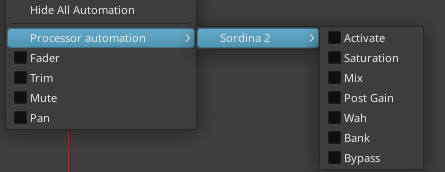
Most controls in Sordina are exposed as automatable parameters and can be controlled directly from your DAW.
Refer to your DAW’s documentation for information on creating and editing automation lanes.
MIDI Learn
Most controls in Sordina can be assigned to MIDI Continuous Controller (CC) messages.
Important
Sordina is an audio effect plugin rather than a virtual instrument. While MIDI control is supported, not all DAWs are capable of routing MIDI data to audio effect plugins.
If MIDI control does not appear to work, consult your DAW’s documentation to determine whether MIDI to audio effect routing is supported.
Assigning MIDI CCs
To assign a MIDI CC to a control, right-click the desired control to open the context menu. From here, you can either:
- Select MIDI Learn and move a hardware controller.
- Or select a specific CC number.
Once assigned, the control will respond to incoming MIDI CC data.
Automating Mute Selection
In addition to automating individual controls, it is also possible to automate mute selection.
Mute selection can be controlled using either host automation parameters or MIDI CC messages.
Host Automation
Two dedicated automation parameters are available:
- Bank
- Program
Together, these parameters determine which mute is loaded. The Bank parameter selects a mute bank, while the Program parameter selects an individual mute within that bank.
MIDI Control
Mute selection can also be controlled via MIDI CC messages:
- CC#0 selects the Bank value.
- CC#32 selects the Program value.
Changing CC#0 alone will not load a new mute. A mute change only occurs when CC#32 is received.
For example:
- Send CC#0 to select a Bank value.
- Send CC#32 to select a Program value.
- The corresponding mute is loaded immediately.
MIDI Channel Selection
A MIDI channel selector is available in the bottom-right corner of the interface.
This setting applies only to Bank and Program mute selection messages (CC#0 and CC#32).
It does not affect MIDI Learn assignments, which continue to respond according to their individual MIDI Learn configuration.
Bank and Program Mapping
The Bank and Program values follow the same ordering used internally by Sordina and are independent of how mutes are grouped within the mute browser.
For a complete list of Bank and Program values, see the Bank and Program Reference.