Velocity Curve
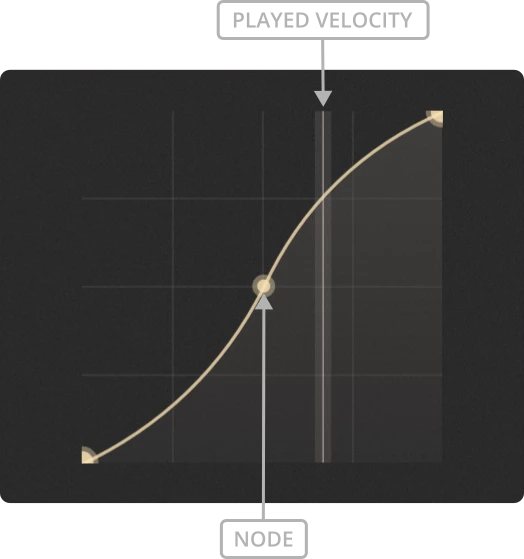
The velocity response table allows you to scale the MIDI velocity values recieved by the instrument.
This lets you adjust the velocity sensitivity of articulations.
A steeper curve increases the response to changes in input velocity, while a flatter curve reduces it.
The X axis represents the incoming MIDI velocity. The Y axis represents the velocity sent to the instrument.
The vertical line shows the current input velocity.
Tip
Hold ALT and left-click the graph to reset it.
Adding nodes
Nodes can be added to the table by left-clicking.
Moving Nodes
Nodes can be dragged around by holding left-click on a node and moving the mouse.
Deleting Nodes
You can delete a node you’ve added either by right-clicking on it or by holding ctrl/cmd and left-clicking on it.
Setting the Curve
There are two methods to adjust the curve between two nodes. Start by placing your mouse cursor between the nodes. Then either hold right-click and move the mouse up and down, or roll your mouse’s scroll-wheel up or down.