Mixer
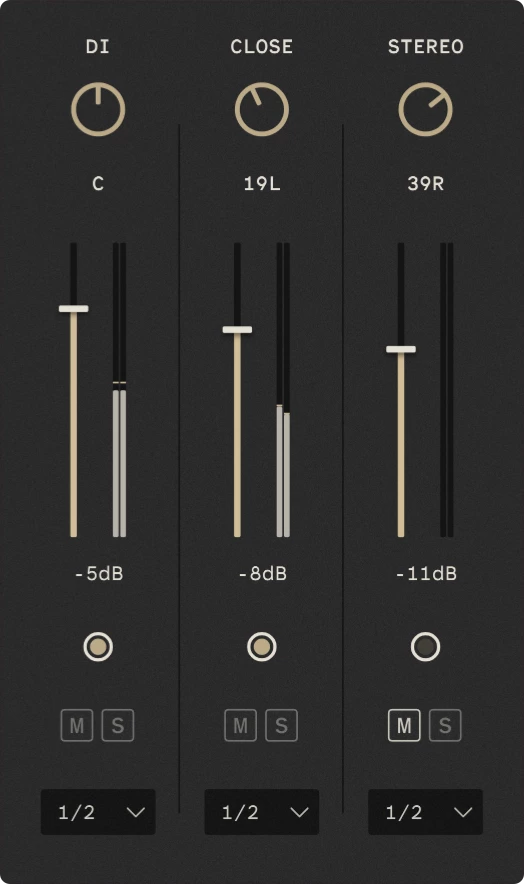
The mixer provides independent level and stereo positioning controls for the individual microphone channels.
This lets you balance the different microphone perspectives and for your desired mix.
Mixer settings are saved with your DAW session and custom presets.
Pan
The pan control adjusts the position of the channel within the stereo field. C represents centre, while L and R indicate left and right positions.
Volume
The fader controls the channel’s output level. The value displayed below the fader shows the current fader setting in dB.
Purge
The purge button unloads the channel’s samples from RAM. This can be used to reduce memory usage when a microphone channel isn’t needed.
Mute and Solo
The M button mutes the channel. The S button solos it, muting the other channels.
Multiple channels can be muted or soloed at the same time.
Tip
Holding CTRL while left-clicking a mute or solo button will unmute/unsolo the other channels.
Output
The selector determines which stereo output pair the channel is routed to. This allows each microphone channel to be processed separately in your DAW.
The output routing is available in the plugin version of Rhapsody. To use it you must enable multiple outputs for Rhapsody in your DAW.