Downloading Packages
The installation package files are available for download through your account.
If this is the first time you’ve downloaded a Libre Wave product then you will need to create an account using the same email address used when you made your purchase.
Click here to create an account or sign in to your existing account.
Once logged in you can click here or click the user account icon in the top-right corner of the Libre Wave website to view your account details.
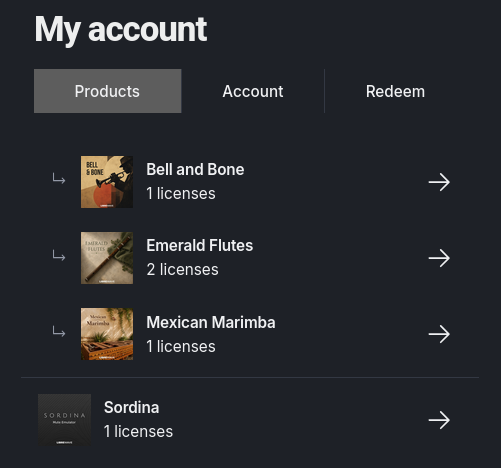
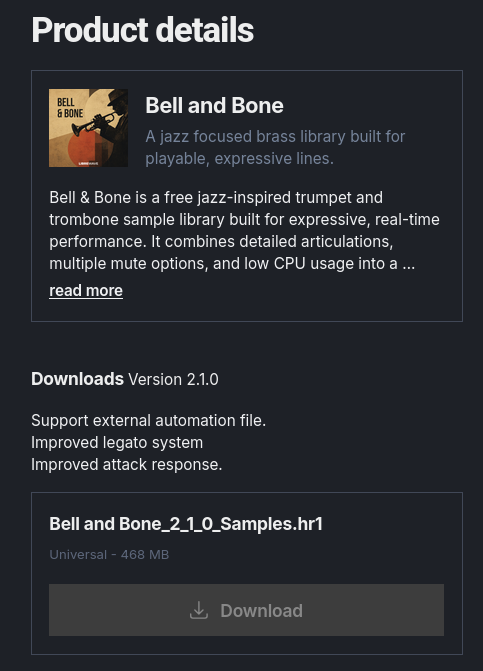
Open the Products tab to see a list of the instruments you own. Then click on the product you want to download.
You’ll be taken to the Product Details tab which will show a brief description of the library and a list of files available for download.
Rhapsody installation packages are supplied as one or more .hr files.
Smaller packages are often a single .hr1 file. Larger packages may be split across several files, such as .hr1, .hr2, .hr3, and so on.
Make sure to download all of the package files for the library you’re installing and place them all in the same folder.